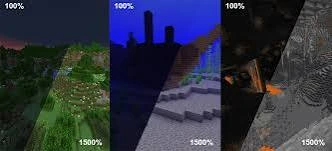
Keep visibility high while avoiding unnecessary graphics changes that can affect performance.
Keep the goal focused
Fullbright is a visibility change. Avoid changing unrelated high-cost graphics settings unless you actually need them.
Shaders can change the result
Complex shaders may both reduce performance and replace the lighting pipeline, which can change or negate fullbright behavior.
Test one change at a time
For consistent troubleshooting, test Fullbright with a simple baseline configuration before re-enabling additional graphics packs.
Quick setup checklist
- Confirm the exact Minecraft version you use.
- Confirm the package type and required loader or OptiFine dependency.
- Back up a working game configuration.
- Test Fullbright without conflicting shaders or packs first.